
Download Exif Tag Remover – Metadata Remover, Privacy Tool, Image Privacy, Photo Privacy
Overview
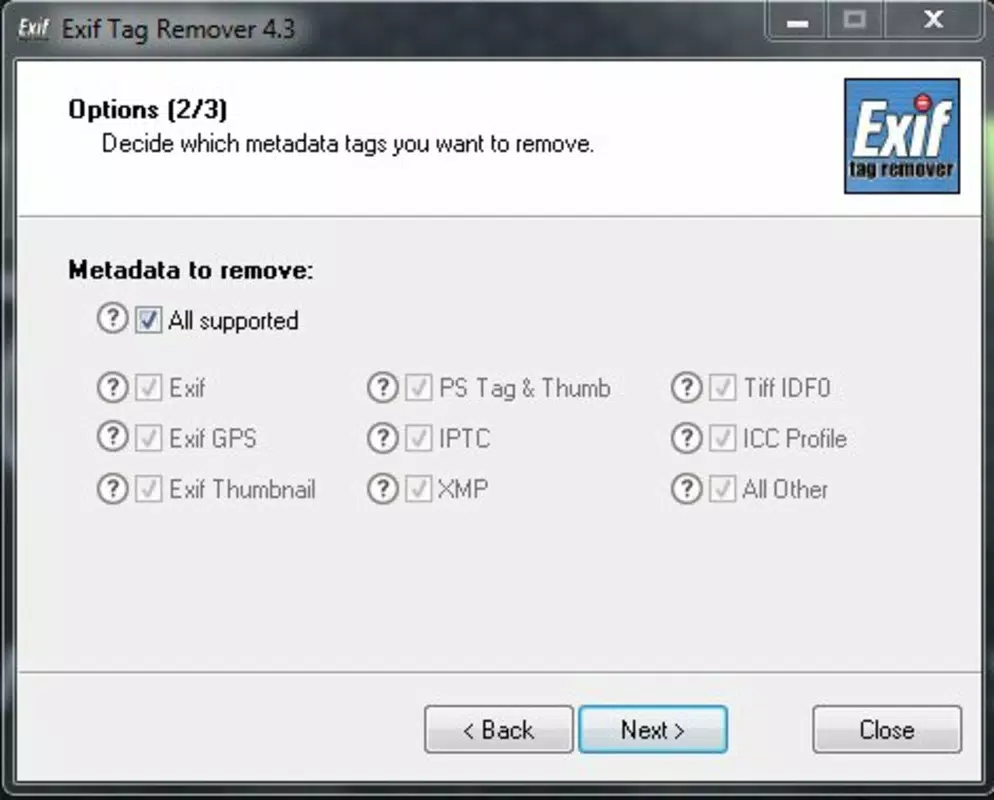
Exif Tag Remover is a focused utility designed to eliminate embedded metadata from digital images, addressing growing concerns around digital privacy and data exposure. The app specifically targets Exif, GPS, IPTC, and XMP tags—data often automatically recorded by smartphones and cameras that can include sensitive details such as exact location, device model, timestamp, and camera settings. By removing these tags, users can publish photos online without inadvertently revealing personal information.
This functionality is especially valuable for photographers, content creators, and individuals who share images on social media, blogs, or public platforms. The app serves as a lightweight yet effective solution for protecting privacy while maintaining image quality. It is particularly useful in scenarios where image distribution is public or semi-public, such as online portfolios, forums, or news reporting.
The developer, ExifTagRemover.com, appears to focus exclusively on metadata management, suggesting a specialized approach to a niche but critical need. While no additional background about the company was provided, the app’s clear purpose and targeted features indicate a strong alignment with user privacy and digital security. Exif Tag Remover fills an essential gap in the mobile productivity ecosystem by offering a dedicated tool for metadata sanitization without requiring complex workflows or third-party software.
Key Features & Functionality
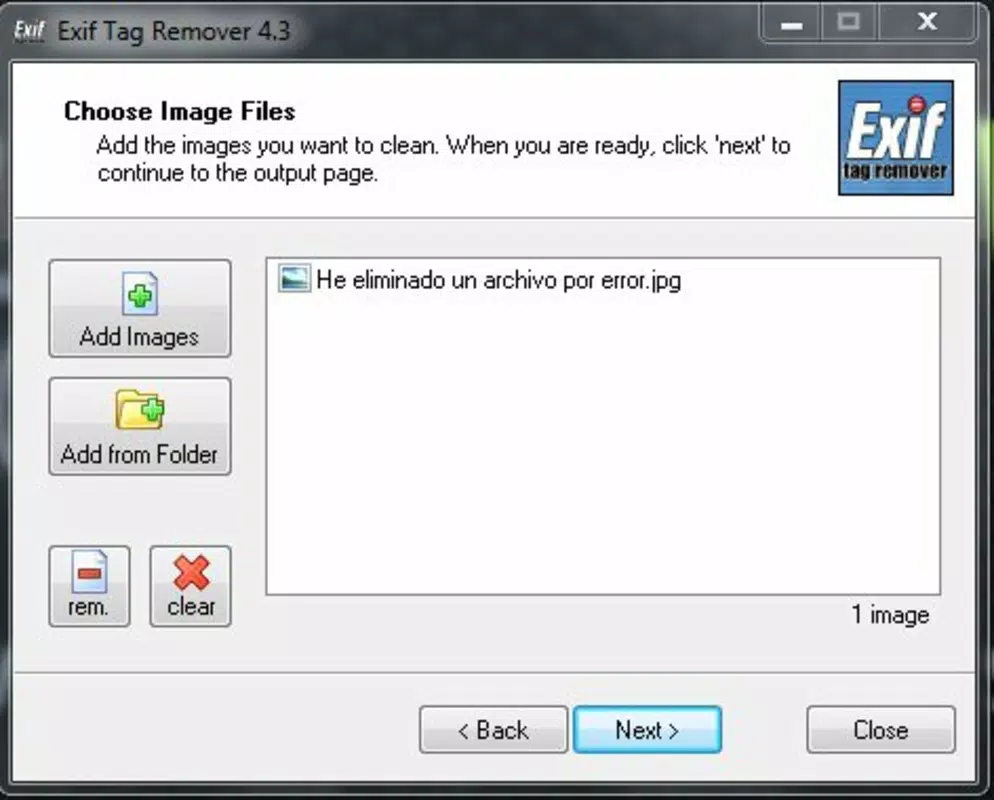
- Easy Metadata Deletion: The app provides a user-friendly interface that allows users to select and process images with minimal effort. By simply tapping to choose files, users can initiate the metadata removal process with just a few clicks, making it accessible even for non-technical users.
- Privacy Protection: Exif Tag Remover is built with privacy as a core principle. It removes GPS coordinates, camera model, aperture, shutter speed, and other sensitive data that could be exploited to track or identify individuals or locations.
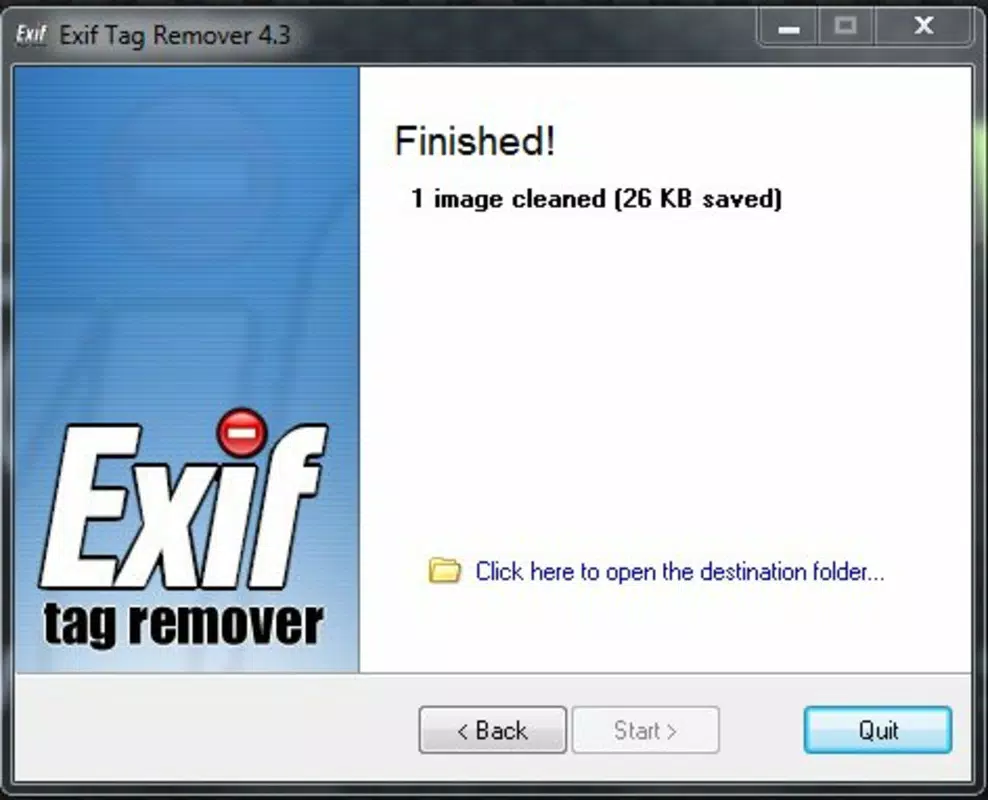
- File Size Reduction: By stripping metadata, the app reduces the overall file size of images. This is particularly effective for smaller images, such as thumbnails or web-ready photos, where metadata can make up a significant portion of the file, leading to faster upload and loading times.
- Support for Multiple Formats: The app supports common image formats including JPEG and PNG, enabling users to process a wide range of photos without needing separate tools for different file types.
- Batch Processing Capability: Users can process multiple images at once, significantly improving efficiency. This feature is ideal for photographers or content managers who need to prepare large volumes of images for publication.
For example, a travel blogger preparing photos for a blog post can use the app to remove GPS data from all images in a folder before uploading, ensuring their travel routes remain private. Similarly, a photographer sharing a portfolio online can use the tool to ensure no camera settings or device details are exposed, preserving professional anonymity.
Interface, UX & Performance
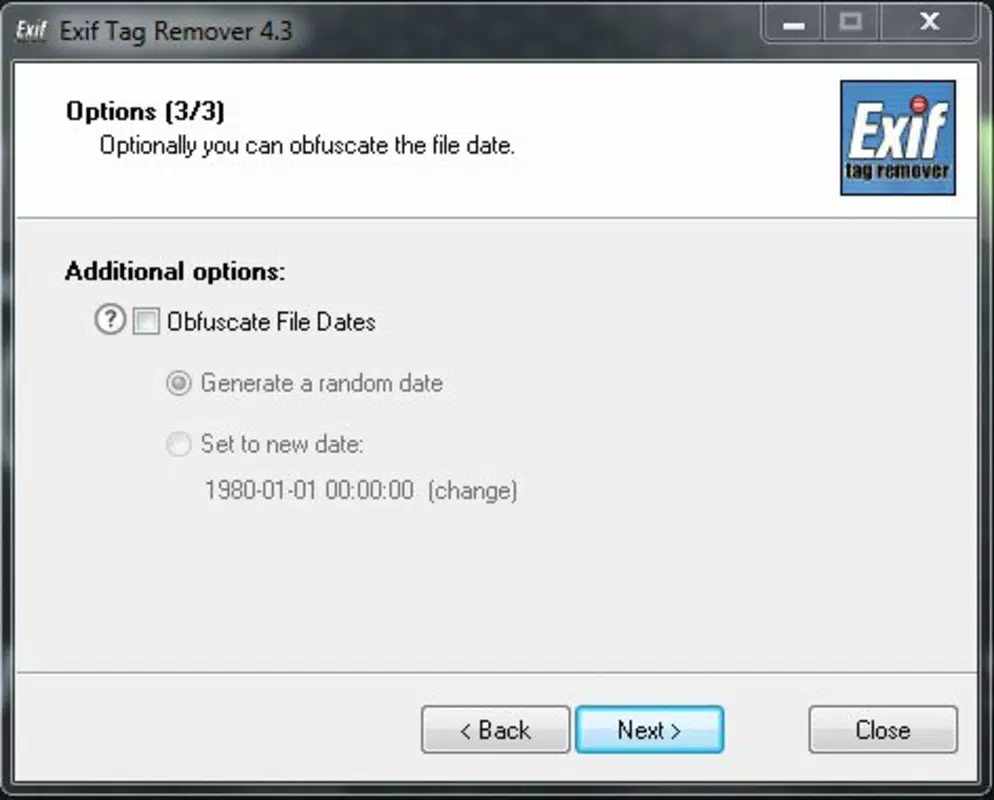
The interface of Exif Tag Remover is designed with simplicity and efficiency in mind. The layout appears to prioritize functionality over visual flair, focusing on core tasks: selecting files, initiating processing, and viewing results. Navigation is likely linear and intuitive, allowing users to move seamlessly from file selection to metadata removal.
The app’s responsiveness is expected to be consistent across devices, given its lightweight footprint of 2.4 MB. Although the developer did not list formal performance metrics, the minimal size suggests optimized code and efficient memory usage. Users can expect quick processing times, especially when handling smaller batches of images.
Stability is likely maintained through a focused feature set, reducing the risk of crashes or errors. The app does not appear to require complex permissions, which contributes to a safer user experience. While specific details on compatibility across device categories were not disclosed, the app’s design suggests broad usability on modern Android devices.
Overall, the user experience aligns with the expectations of a utility-focused tool—functional, reliable, and unobtrusive.
Platform Compatibility & Technical Requirements
Exif Tag Remover is available exclusively on the Android platform. The current version is 1.2.3, with a file size of 2.4 MB, indicating a compact and lightweight application. The app is offered at no cost, making it accessible to a wide audience.
Specific minimum OS requirements were not listed by the developer, so users are advised to ensure their device meets general Android compatibility standards. The developer did not provide additional technical details regarding supported Android versions or hardware specifications. Compatibility information was not fully disclosed, so users should verify functionality on their specific device.
Despite this, the app’s small size and single-purpose design suggest it will run smoothly on most Android smartphones and tablets released in the past few years.
Pros and Cons
- Free to download and use
- Simple, intuitive interface
- Effective metadata removal for privacy protection
- Supports batch processing for efficiency
- Reduces image file size
- Compatible with common image formats like JPEG and PNG
- Specific OS requirements not listed
- Only available on Android (no iOS version mentioned)
- Developer did not provide performance benchmarks
- Limited to image metadata removal—no advanced editing features
- No cloud integration or backup options
FAQ
Is Exif Tag Remover safe to use?
The app is designed to remove metadata without altering the visual content of images. It does not access or transmit user data, making it a secure tool for privacy protection.
Can I use Exif Tag Remover on iOS devices?
As of now, the app is only available for Android. No iOS version has been released or announced by the developer.
Does the app remove all types of metadata?
Exif Tag Remover targets Exif, GPS, IPTC, and XMP metadata. It does not support removal of metadata from video or audio files.
Will removing metadata affect image quality?
No. The process only removes non-visual data such as location, camera settings, and timestamps. The image itself remains unchanged in resolution, color, or clarity.
How often should I update Exif Tag Remover?
Updates are recommended when new features or security improvements are released. Users should check for updates through the official app store or developer website.
Final Thoughts
Exif Tag Remover delivers a precise, no-frills solution for users concerned about digital privacy. Its ability to strip sensitive metadata from images while reducing file size makes it a valuable tool for photographers, bloggers, and everyday users who share photos online. The app’s lightweight design, batch processing, and support for common image formats enhance its practicality.
While it lacks advanced features or cross-platform availability, its focused functionality ensures reliability and ease of use. For anyone looking to protect their location data, camera details, or personal information when publishing images, Exif Tag Remover offers a straightforward and secure option. If privacy is a priority, this app is a must-have utility.
Download Exif Tag Remover now.


